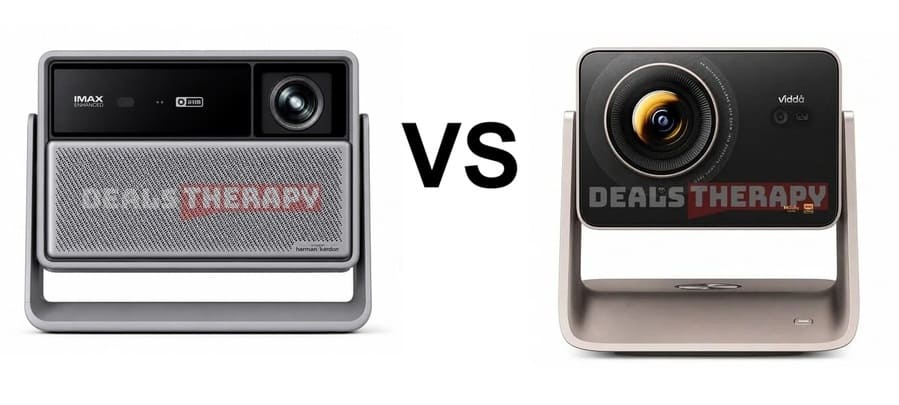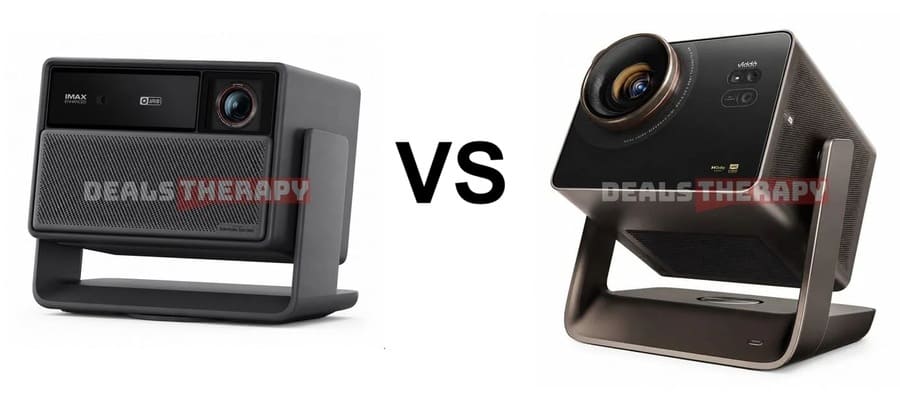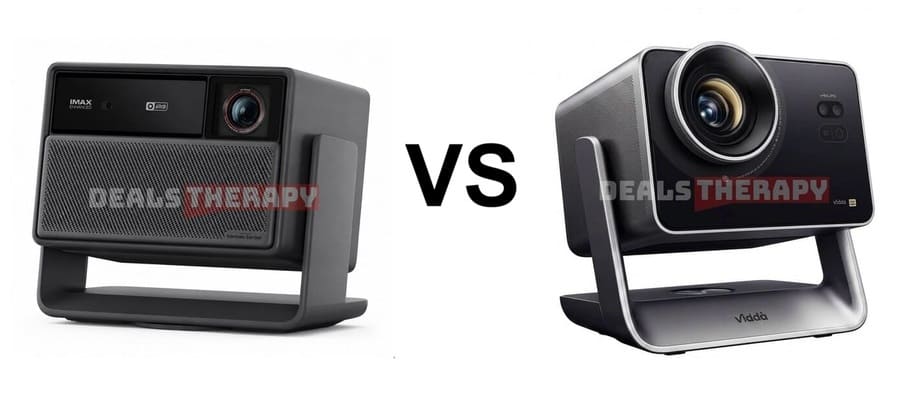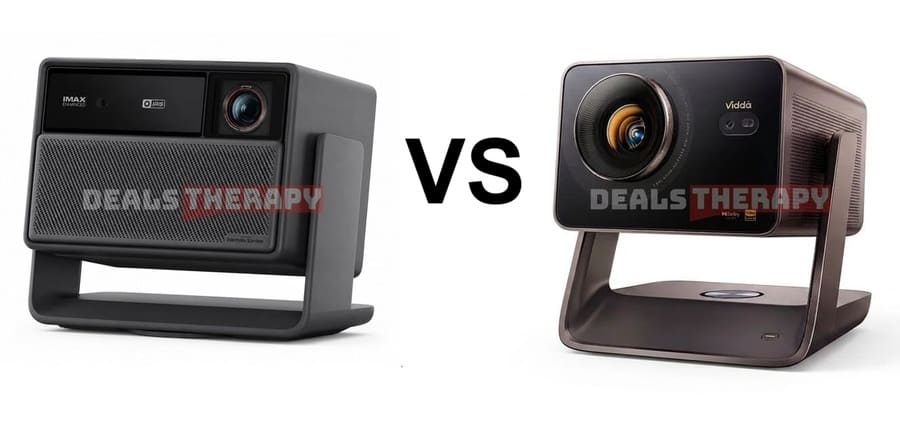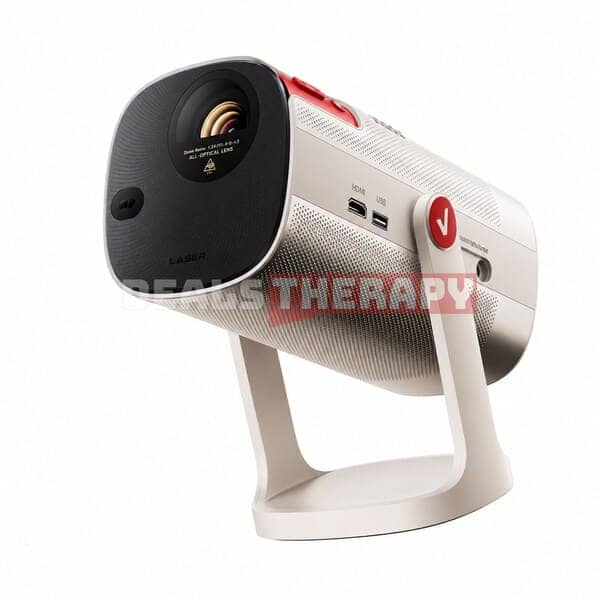
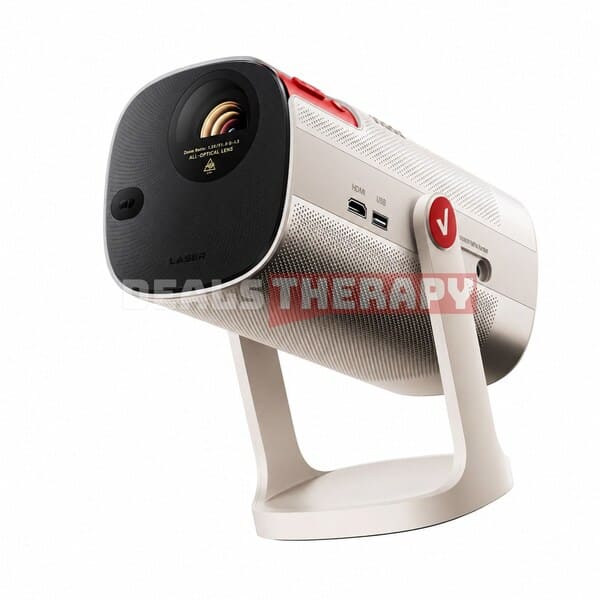
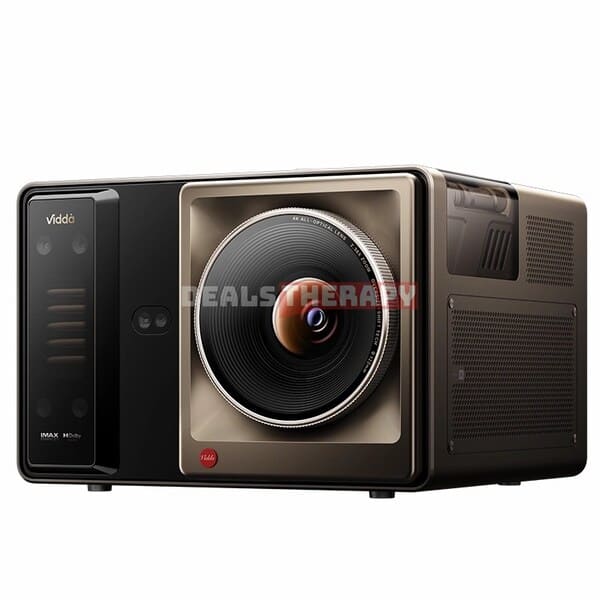
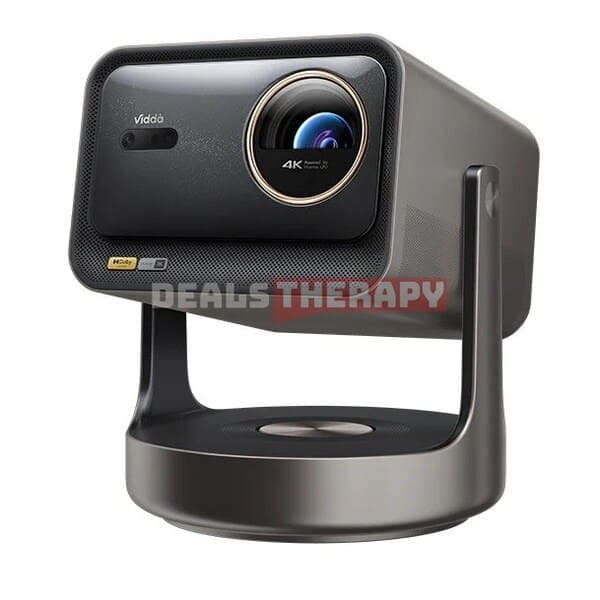
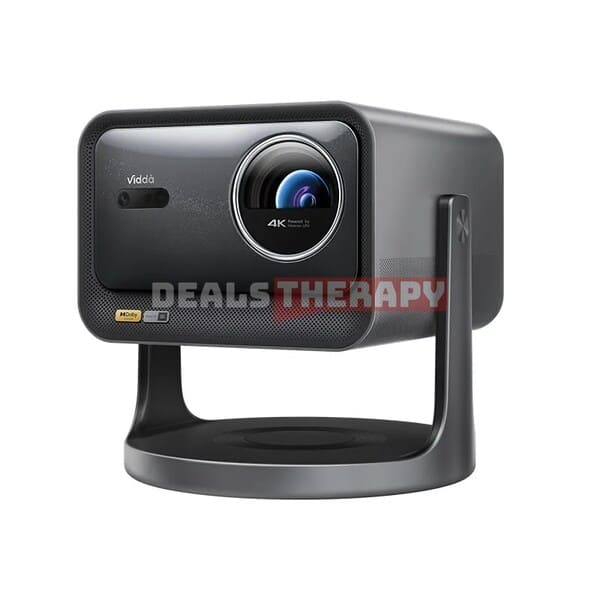
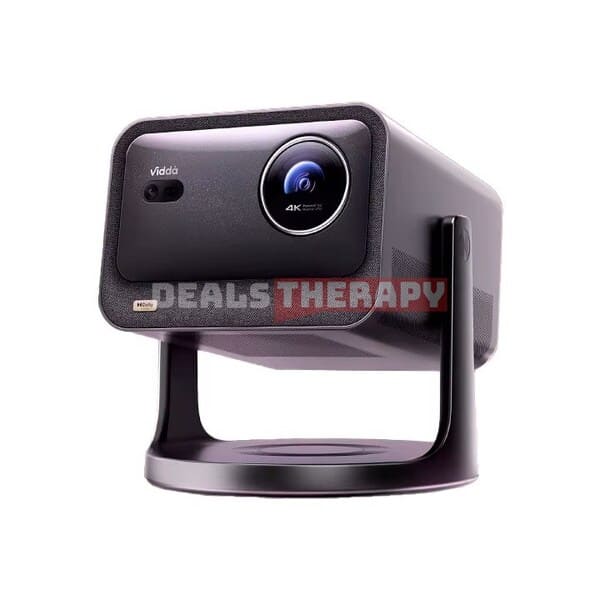
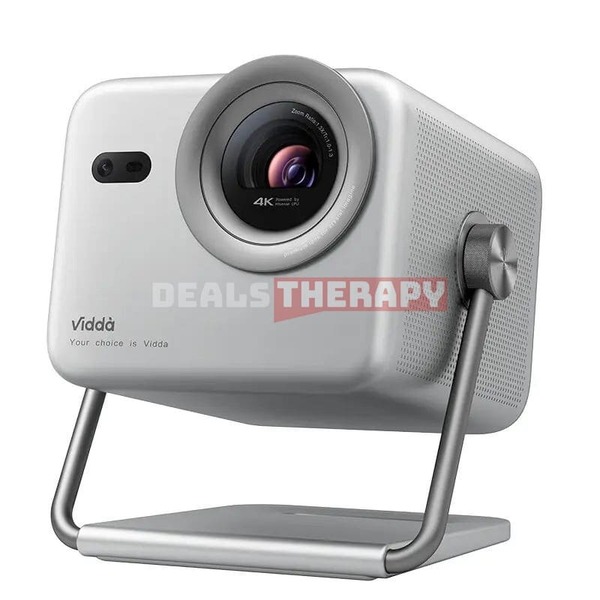
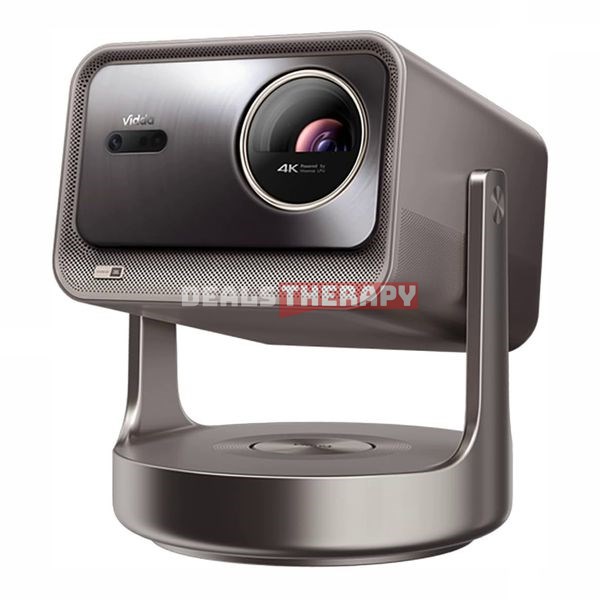
1. Key Highlights of the Vidda C5 Series
Here are the biggest upgrades and features introduced with the new Hisense Vidda C5 series:
✅ Third-Generation 0.47-Inch SST DMD Technology
The Hisense Vidda C5 Ultra Max and C5 Master feature the latest SST DMD architecture, designed to provide better heat resistance, improved contrast, a longer lifespan, and quieter operation.
✅ New Variable Aperture System
The addition of an F/2.0–F/6.0 variable aperture significantly improves contrast and gives users greater control over brightness and black levels.
✅ Upgraded 2.1-Channel Audio System
All models feature a 2.1-channel audio system with an integrated 20W gimbal-mounted subwoofer. The Vidda C5 Ultra Max and Vidda C5 Master also feature JBL co-branded speakers.
✅ New and More Powerful Laser Light Sources
The Hisense Vidda C5 series introduces upgraded laser systems that deliver higher brightness, with the lineup reaching up to 5,800 CVIA lumens.
✅ Expanded Lens Shift Range
The new models support up to ±120% vertical and ±47% horizontal lens shift, significantly improving installation flexibility and addressing one of the limitations of the previous C3 series.
✅ Wi-Fi 7 and Gigabit Ethernet
The Hisense Vidda C5 Ultra, C5 Ultra Max, and C5 Master combine Wi-Fi 7 with Gigabit Ethernet for fast and flexible wired or wireless connectivity.
✅ 4K User Interface
The Hisense Vidda C5 series introduces a 4K UI interface, offering a sharper and more detailed user experience than the 1080p interfaces commonly found on other projectors.
1.1. Which Vidda C5 Projector Should You Buy?
| Model | Best For | Key Advantages |
|---|---|---|
| Vidda C5 Pro Max | Best value for money | Excellent price-to-performance ratio, accurate HDR, great built-in audio, wide throw ratio |
| Vidda C5 Ultra | Best overall choice | Better hardware, 4GB RAM, Wi-Fi 7, excellent color accuracy, balanced brightness and contrast |
| Vidda C5 Ultra Max | Best image quality | Higher native contrast, deeper blacks, 2× optical zoom, wider lens shift, JBL speakers |
Quick Recommendation: If you’re looking for the best value, choose the Vidda C5 Pro Max. For the best balance of picture quality, features, and hardware, the Vidda C5 Ultra is the sweet spot. If you want the highest image quality, deeper blacks, and maximum installation flexibility, the Vidda C5 Ultra Max is the flagship model to choose.
For a more detailed summary of each projector, see the end of this article.
Where To Buy Vidda C5 Pro Max, C5 Ultra, C5 Ultra Max and C5 Master?
🎥 Prefer watching instead of reading?
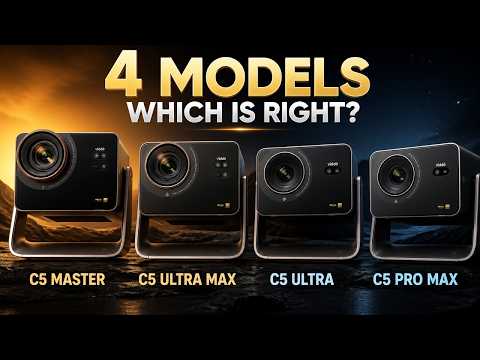
We have also published a hands-on video review of the Vidda C5 Pro Max, Ultra, Ultra Max, Master where you can see the picture quality in action.
▶ Watch the full review on YouTube
2. Vidda C5 vs Vidda C3 Series Upgrade
The Hisense Vidda C5 series brings significant improvements over the previous C3 lineup. Below is a closer look at how each new model compares with its predecessor.
Vidda C3 Pro vs. Vidda C5 Pro Max
The Hisense Vidda C5 Pro Max is the successor to the Hisense Vidda C3 Pro, bringing improvements to brightness, contrast, audio, connectivity, and installation flexibility.
Key Specifications and Upgrades
- Display Technology: DLP with a 0.47-inch DMD chip, supports 4K at 60Hz or 1080p at up to 240Hz.
- Laser Light Source: Qualas42 with 20 laser diodes.
- Brightness: Rated at 3,200 CVIA lumens.
- Lens Shift: ±100% vertical and ±35% horizontal lens shift, with support for lossless side projection at certain angles.
- Variable Aperture and Contrast: The new F/2.0–F/6.0 variable aperture system increases the claimed contrast ratio from 2,000:1 on the previous generation to 5,000:1.
- Processor and Storage: MediaTek MT9681 flagship processor with 3GB of RAM and 64GB of storage.
- Audio: Upgraded self-developed 2.1-channel Hi-Res Audio system with a 20W gimbal-mounted subwoofer. The system also features Hi-Res Audio certification.
- HDR and Image Certifications: Supports Dolby Vision, HDR10+, IMAX, and FILM Filmmaker Mode.
- Optical Zoom and Throw Ratio: 1.67x optical zoom with a 0.9–1.5:1 throw ratio.
- System Interface: A 4K user interface designed to provide a sharper and more detailed viewing experience.
- Connectivity: Optical audio output, USB 3.0, HDMI 2.1, Gigabit Ethernet, and Wi-Fi 6.
- Additional Features: TÜV Rheinland certification for low blue light, customizable color settings, and flexible installation options.
You can also read our article about Vidda C3 Pro Review and Comparison with Vidda C3 Ultra and C3S.
Vidda C3 Ultra vs. Vidda C5 Ultra
The Hisense Vidda C5 Ultra builds on the Vidda C3 Ultra with a more powerful laser light source, higher brightness, improved contrast, Wi-Fi 7, and additional RAM.
Key Specifications and Upgrades
- Display Technology: DLP with a 0.47-inch DMD chip, Supports 4K at 60Hz.
- Laser Light Source: Upgraded to a new industrial-grade MCL3A laser system with 32 laser diodes.
- Brightness: Rated at 4,400 CVIA lumens.
- Lens Shift: ±100% vertical and ±35% horizontal lens shift, with support for lossless side projection at certain angles.
- Variable Aperture and Contrast: The new F/2.0–F/6.0 variable aperture system increases the claimed contrast ratio from 2,000:1 to 6,000:1.
- Processor and Storage: MediaTek MT9681 flagship processor with 4GB of RAM and 64GB of storage.
- Audio: Upgraded self-developed 2.1-channel Hi-Res Audio system with a 20W gimbal-mounted subwoofer and Hi-Res Audio certification.
- HDR and Image Certifications: Supports Dolby Vision, HDR10+, IMAX, and FILM Filmmaker Mode.
- Optical Zoom and Throw Ratio: 1.67x optical zoom with a 0.9–1.5:1 throw ratio.
- System Interface: 4K user interface for a sharper and more detailed on-screen experience.
- Connectivity: Optical audio output, USB 3.0, HDMI 2.1, Gigabit Ethernet, and Wi-Fi 7.
- Additional Features: TÜV Rheinland certification for low blue light, customizable color settings, and flexible installation options.
New Vidda C5 Ultra Max
The Hisense Vidda C5 Ultra Max is a new addition to the lineup and introduces Texas Instruments’ third-generation SST DMD architecture.
This new platform is designed to improve heat resistance, reduce operating noise, extend the lifespan of the DMD system, and deliver higher native contrast.
Key Specifications and Features
- Display Technology: DLP with a third-generation 0.47-inch SST DMD chip. Supports 4K at 60Hz.
- Laser Light Source: Tri-color laser system using an industrial-grade MCL3A laser with 32 laser diodes.
- Brightness: Rated at 4,700 CVIA lumens.
- Optical Zoom and Throw Ratio: 2x optical zoom with a wide 0.85–1.7:1 throw ratio.
- Lens Shift: ±120% vertical and ±47% horizontal lens shift, with support for lossless side projection at certain angles.
- Variable Aperture and Contrast: F/2.0–F/6.0 variable aperture system with a claimed contrast ratio of up to 7,000:1.
- Processor and Storage: MediaTek MT9681 flagship processor with 4GB of RAM and 64GB of storage.
- Audio: JBL co-branded 2.1-channel speakers with a 20W gimbal-mounted subwoofer and Hi-Res Audio certification.
- HDR and Image Certifications: Supports Dolby Vision, HDR10+, IMAX, and FILM Filmmaker Mode.
- System Interface: 4K user interface designed to deliver a sharper and more detailed viewing experience.
- Connectivity: Optical audio output, USB 3.0, HDMI 2.1, Gigabit Ethernet, and Wi-Fi 7.
- Additional Features: TÜV Rheinland certification for low blue light, customizable color settings, and flexible installation options.
New Vidda C5 Master (2026)
The Hisense Vidda C5 Master is the flagship model of the 2026 lineup.
Like the Hisense Vidda C5 Ultra Max, it uses Texas Instruments’ third-generation SST DMD architecture, bringing improved heat resistance, quieter operation, a longer expected lifespan, and higher native contrast.
Key Specifications and Features
- Display Technology: DLP with a third-generation 0.47-inch SST DMD chip. Supports 4K at 60Hz.
- Laser Light Source: Tri-color laser system combining an industrial-grade MCL3A laser with 32 laser diodes and Qualas42 with 10 laser diodes.
- Brightness: Rated at 5,800 CVIA lumens.
- Optical Zoom and Throw Ratio: 2x optical zoom with a wide 0.85–1.7:1 throw ratio.
- Lens Shift: ±120% vertical and ±47% horizontal lens shift, with support for lossless side projection at certain angles.
- Variable Aperture and Contrast: F/2.0–F/6.0 variable aperture system. The official contrast specification should be verified, as the source information provided lists 2,000:1, which appears inconsistent with the C5 Master being the flagship model.
- Processor and Storage: MediaTek MT9681 flagship processor with 4GB of RAM and 128GB of storage.
- Audio: JBL co-branded 2.1-channel speakers with a 20W gimbal-mounted subwoofer and Hi-Res Audio certification.
- HDR and Image Certifications: Supports Dolby Vision, HDR10+, IMAX, and FILM Filmmaker Mode.
- System Interface: Exclusive 4K user interface designed to provide a sharper and more detailed on-screen experience.
- Connectivity: Optical audio output, USB 3.0, HDMI 2.1, Gigabit Ethernet, and Wi-Fi 7.
- Additional Features: TÜV Rheinland certification for low blue light, customizable color settings, and flexible installation options.
3. Design, Build Quality, and Gimbal Stand
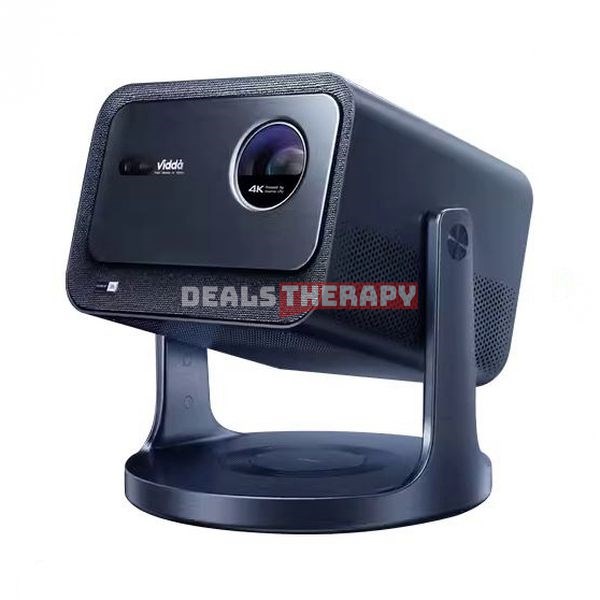
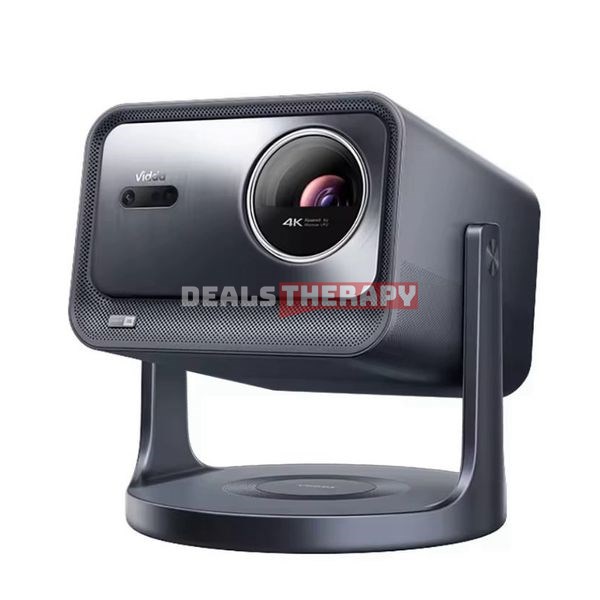
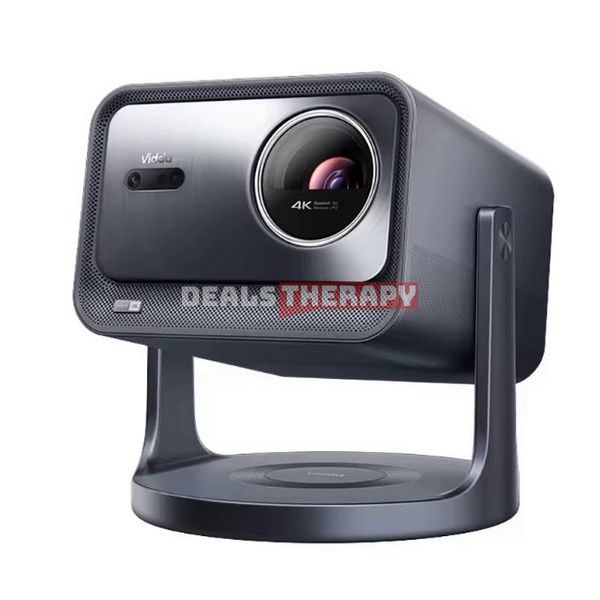
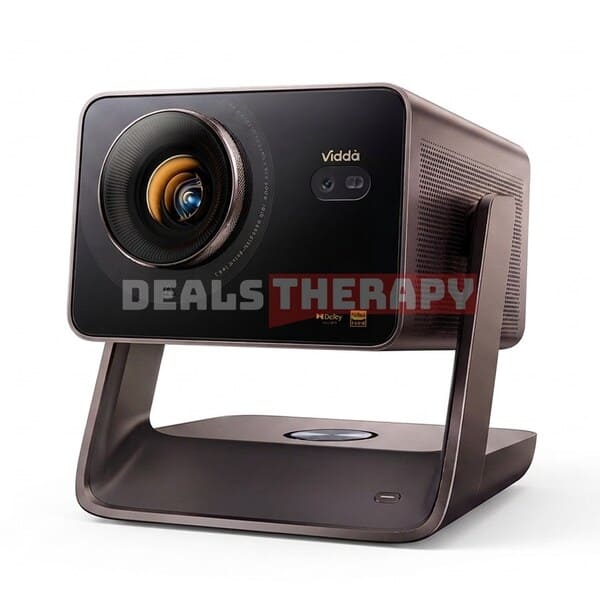
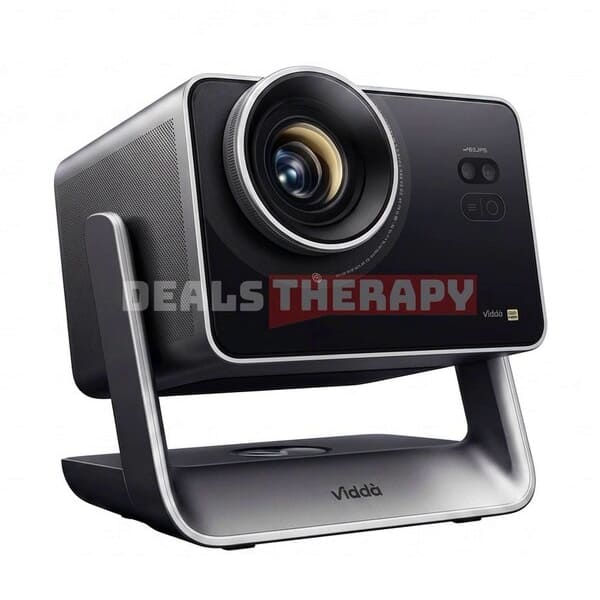
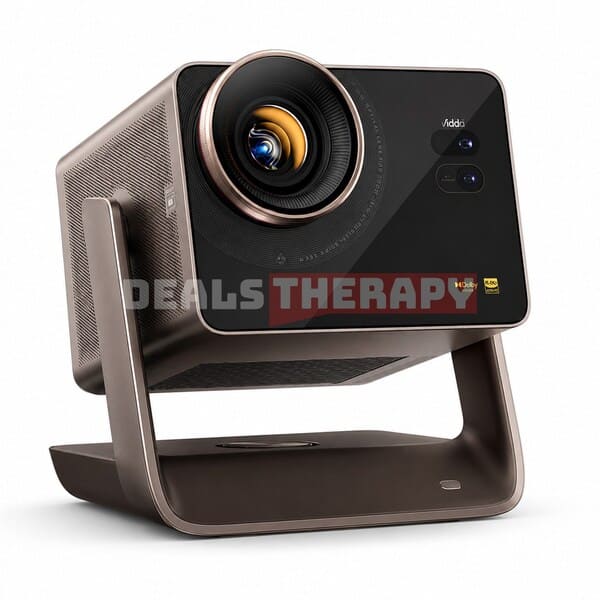
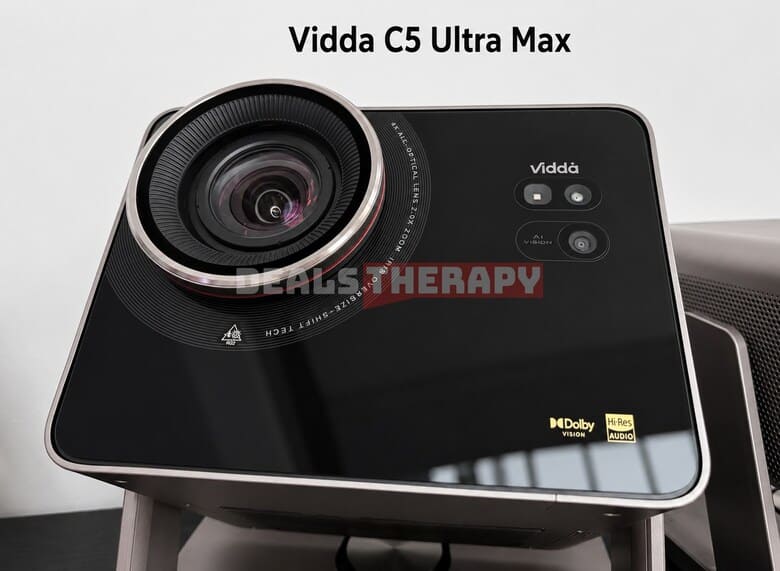
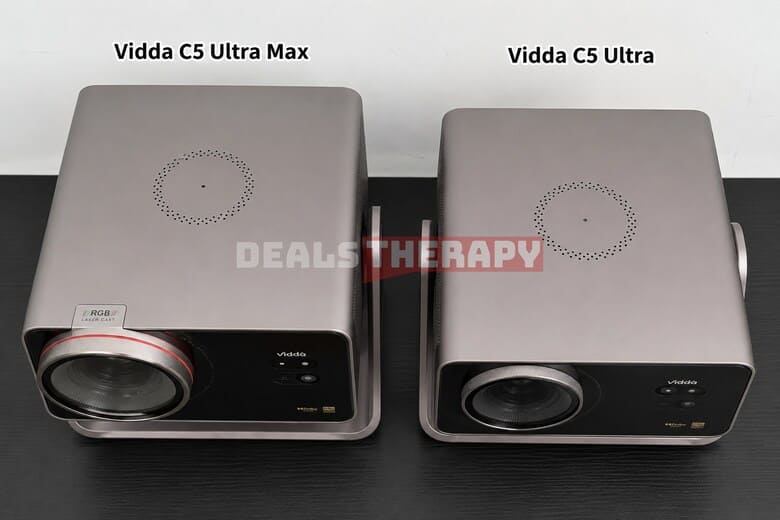
At first glance, the new projector looks very similar to the previous Vidda C3 series, but there are some noticeable differences in the materials and color scheme. The new Hisense Vidda C5 series features a sleek square-shaped body with smoothly rounded corners and a glossy black tempered glass panel on the front. The overall design is clean, modern, and premium-looking.
Speakers are positioned on both sides of the projector, while a dedicated subwoofer is built into the thicker lower section of the chassis. The audio system was co-developed with Harman and JBL, adding to the projector’s premium multimedia experience.
Another highlight is the integrated gimbal stand. Its rotating base allows the projector to be positioned at different angles, while automatic keystone correction helps adjust the image when projecting from different heights, angles, or distances.
Looking for a comparison with XGIMI? Check out our RS30 Ultra Max vs Vidda C5 Ultra Max comparison.
4. Lens, Smart Features, Connectivity, and Mounting Options
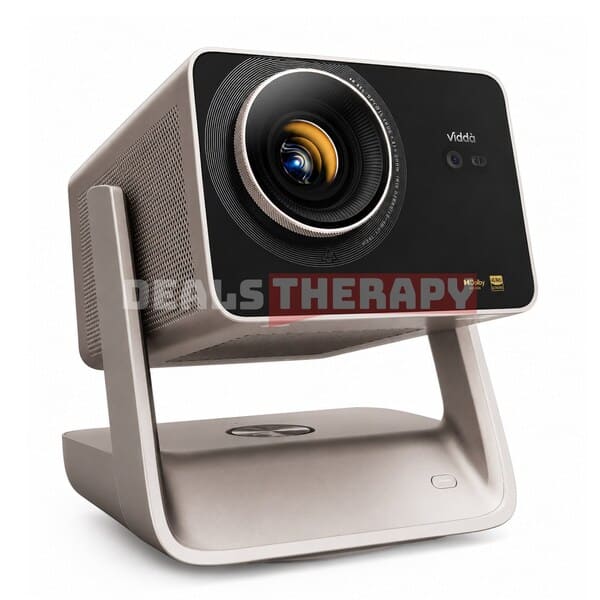
The Hisense Vidda C5 Ultra Max and Vidda C5 Master models stand out even more with their Zeiss-grade Hubble red-ring cinema lenses. They offer a wider 0.85–1.7:1 throw ratio along with 2x optical zoom, providing greater flexibility when setting up the projector. The Dolby Vision and Hi-Res Audio certification badges on the lower-right corner of the front panel also highlight the flagship-level audio and visual capabilities of these models.
Like the Vidda C3 series, the Hisense Vidda C5 lineup supports far-field voice control and automatic brightness adjustment using an ambient light sensor. Both the voice microphone and light sensor are conveniently integrated into the top of the projector.
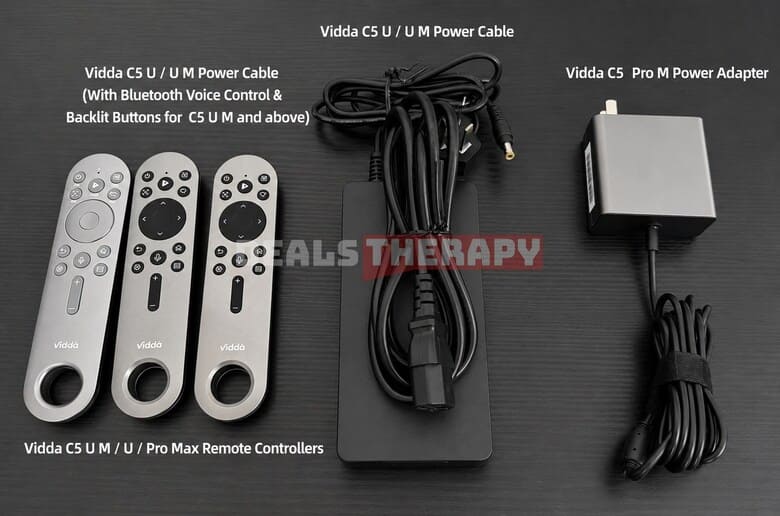
The included Bluetooth voice remote features a circular lanyard hole and a customizable shortcut button for quick access to your favorite functions. The Hisense Vidda C5 Ultra Max and higher-end models also come with backlit buttons, making the remote easier to use in a dark room. The Hisense Vidda C5 Pro Max model continues to include the compact GaN mini charger.
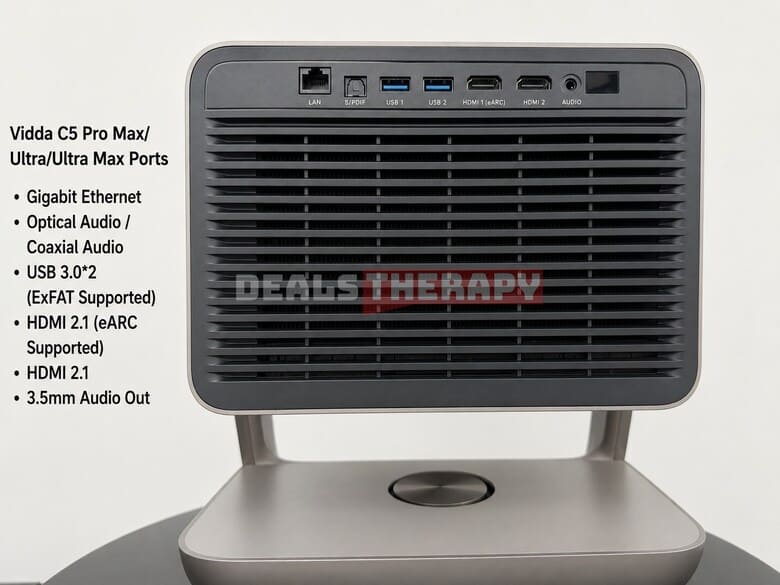
Connectivity is another strong point. It’s rare to find such a comprehensive selection of ports on a projector. The Hisense Vidda C5 series includes optical audio output, two USB 3.0 ports with ExFAT support, two HDMI 2.1 ports – one with eARC support- a Gigabit Ethernet port, and Wi-Fi 7. The Hisense Vidda C5 Pro Max uses Wi-Fi 6 instead. This wide range of connectivity options makes it easy to connect external storage, audio equipment, gaming consoles, and other peripherals.
On the bottom, you’ll find a rotating turntable mechanism and a standard mounting interface, allowing the projector to be attached to compatible third-party brackets or mounts.
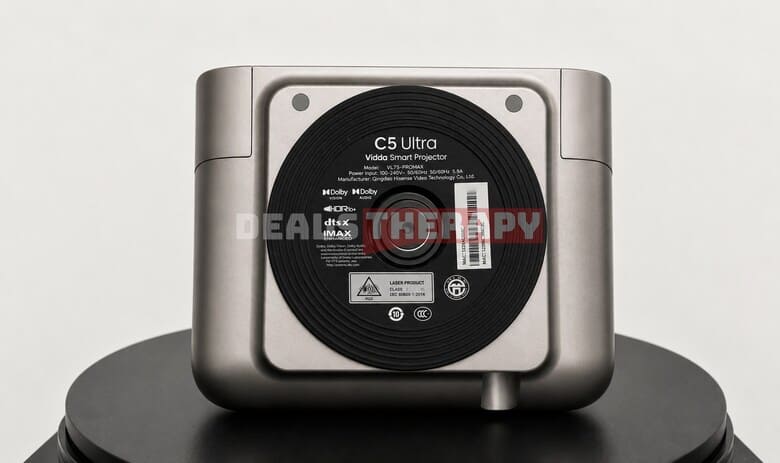
5. Brightness, Heat Dissipation and Fan Noise
The Hisense Vidda C5 series consists of four models, with officially advertised brightness levels ranging from 3,200 to 5,800 CVIA lumens: 3,200, 4,400, 4,700, and 5,800 CVIA lumens, depending on the model.
In terms of the laser light source, each model uses the Qualas42 laser system with 20 laser diodes. The Hisense Vidda C5 Ultra and C5 Ultra Max step things up with a single industrial-grade MCL3A laser featuring 32 laser diodes. At the top of the lineup, the Hisense Vidda C5 Master uses a dual-laser configuration combining the MCL3A and Qualas42 systems, for a total of 42 laser diodes.
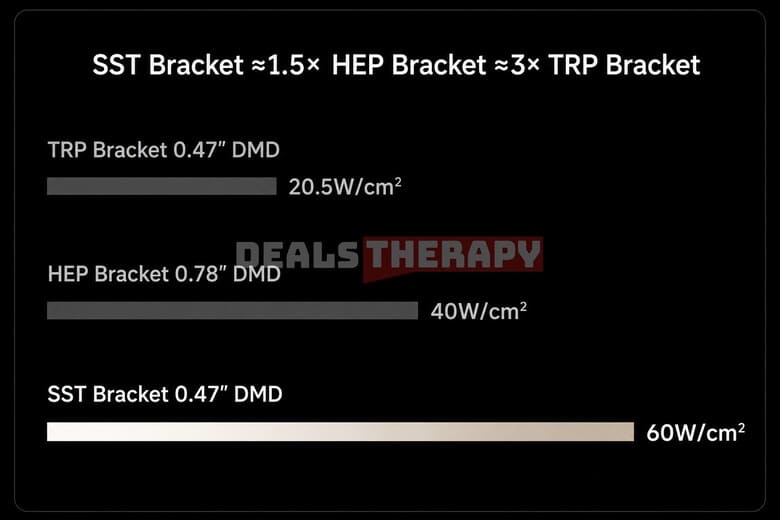
The Hisense Vidda C5 series also introduces third-generation 0.47-inch SST DMD technology. The Hisense Vidda C5 Ultra Max shares the same core DMD chip as the Hisense Vidda C5 Master, featuring a new underlying architecture designed to improve light control, heat management, and overall image performance.
The projector uses a Texas Instruments SST architecture 0.47-inch DMD chip, model 473TE. Its key advantages include:
- Dual-base suspended beam structure: The larger rotation angle allows for more precise light control and helps reduce light leakage, resulting in up to a 40% improvement in contrast.
- Improved heat resistance: The chip can handle brightness levels of up to 10,500 lumens and offers twice the heat dissipation efficiency of the previous architecture.
- Higher light power density: With 60W/cm², the light power density is 1.5 times higher than that of the HEP 1.0 architecture.
- Long lifespan: The light source is rated for up to 20,000 hours, helping maintain stable image quality over time and reducing the risk of dead pixels.
Actual Brightness Measurement and Fan Noise Test
We also measured the actual brightness and fan noise levels of the projectors.
The Hisense Vidda C5 Pro Max delivered a measured brightness of 2,645 CVIA lumens using its default brightness settings, achieving approximately 82.7% of its officially advertised brightness. At this brightness level, the projector remained relatively quiet.
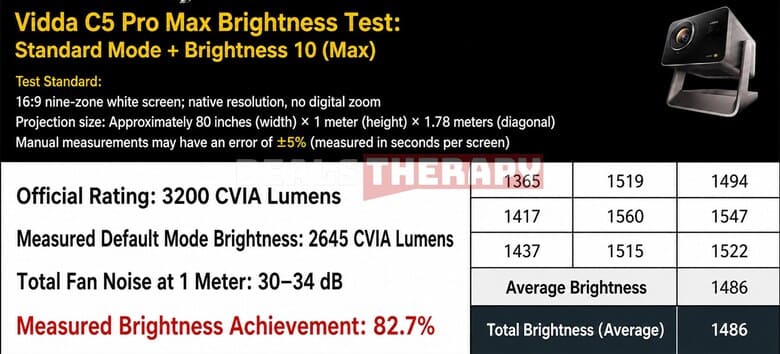
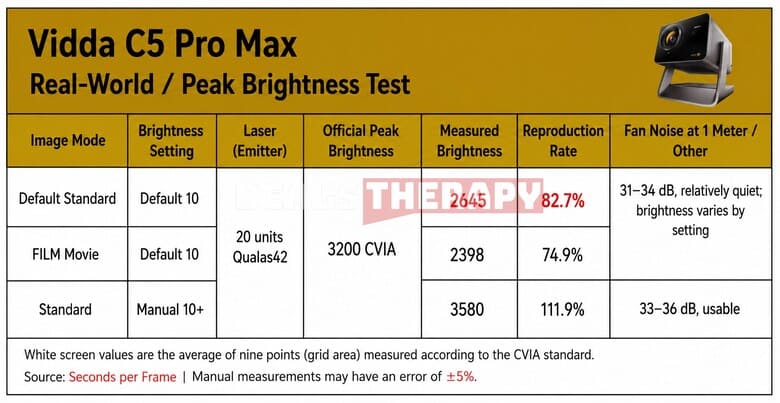
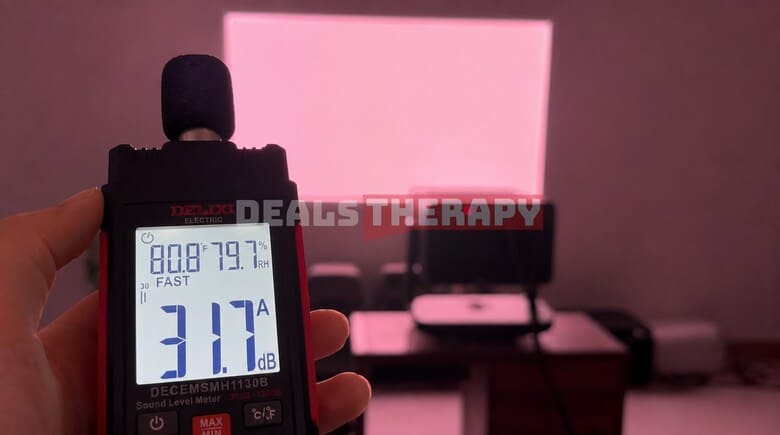
Please keep in mind that manual measurements can vary, and these results only represent the specific unit tested. We plan to test a mass-produced retail unit again when we have the opportunity, which should provide a more accurate comparison.
The Hisense Vidda C5 Ultra and Hisense Vidda C5 Ultra Max both use a single industrial-grade MCL3A laser with 32 laser diodes. Based on their similar hardware, we wouldn’t expect a major difference in brightness between the two models – and our real-world measurements confirmed this.
The Hisense Vidda C5 Ultra produced 3,868 CVIA lumens, while the Hisense Vidda C5 Ultra Max reached 3,966 CVIA lumens using their default brightness settings. Since the Hisense Vidda C5 Ultra is officially rated for a lower brightness level, its measured result represents approximately 87.9% of the advertised figure.
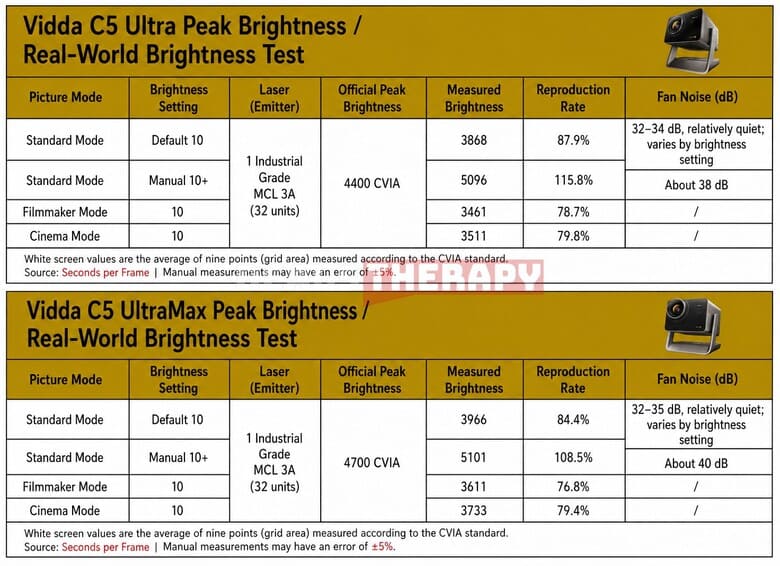
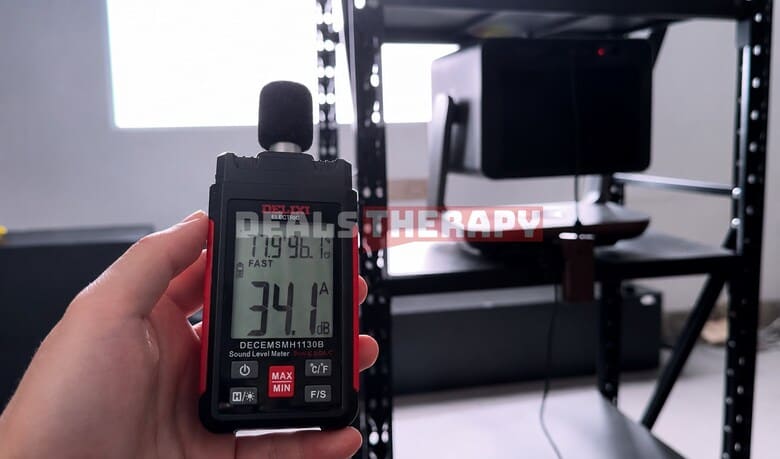
Fan noise remained relatively low during testing, measuring around 32–34 dB. At maximum brightness, the projector reached an impressive 5,096 CVIA lumens, although the fan noise increased slightly.
Heat Dissipation
The main heat exhaust is located on the rear of the projector, with additional ventilation around the upper rear section. The front lens also becomes noticeably warm during operation, while the air intake vents are positioned on the bottom and sides of the chassis.
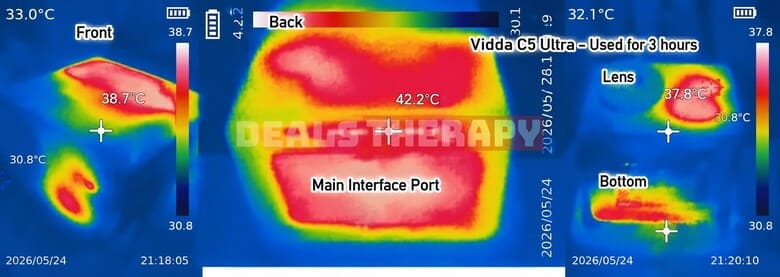
Overall, the cooling system performs reasonably well during normal use. However, it’s important not to block any of the ventilation areas and to leave enough space around the projector for proper airflow. Insufficient ventilation can lead to higher internal temperatures, potentially affecting the projector’s long-term lifespan and even causing focus-related issues.
6. Contrast Analysis and User Experience
The Hisense Vidda C5 series officially claims native contrast ratios of 5,000:1, 6,000:1, 7,000:1, and 8,000:1 across its four models. Due to the limitations of my current testing equipment and available testing time, I haven’t been able to fully reproduce these official figures yet. However, based on my measurements, I estimate that the results could reach around 80–90% of the advertised values.
From both visual observation and camera footage, the addition of a variable aperture makes a noticeable difference to the overall contrast and image clarity. I also found that the different models use slightly different aperture calibration patterns.
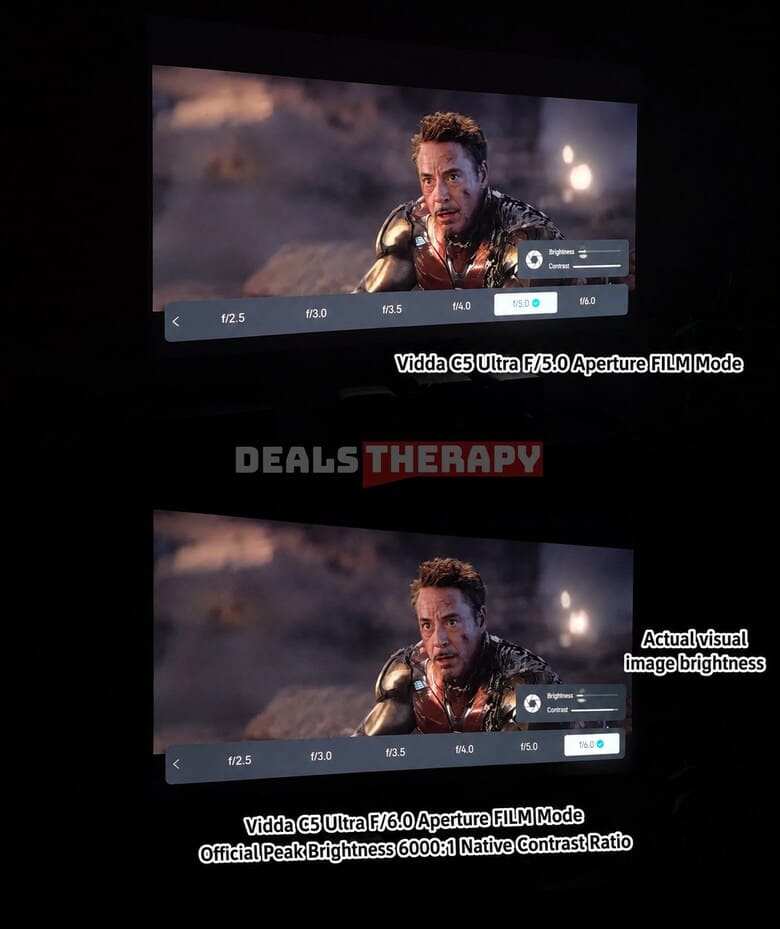
The Hisense Vidda C5 Ultra offers seven aperture levels: F/2.0, F/2.5, F/3.0, F/3.5, F/4.0, F/5.0, and F/6.0. As you move from F/2.0 to F/6.0, the gray bars at the top and bottom of the image gradually become darker. This creates a cleaner, more immersive, and more transparent-looking picture.

Interestingly, the Hisense Vidda C5 Ultra doesn’t experience a dramatic drop in brightness when moving from F/2.0 to F/6.0. Even at F/5.0 and F/6.0, the projector can still retain around 30% of its peak brightness. In person, the image at F/5.0 and F/6.0 also appears noticeably brighter to the naked eye than it does in the camera footage.
The Hisense Vidda C5 Ultra also offers two additional image modes: Dark Field Precision and Bright Field Balance. In Dark Field Precision mode, the brightness remains sufficient for viewing, while the image appears cleaner and less hazy.
Hisense Vidda C5 Ultra Max Contrast Performance
Next, we have the Hisense Vidda C5 Ultra Max, which uses an aperture pattern that is closer to what we typically see in the projector industry. Its brightness decreases more rapidly when switching from F/2.0 to F/6.0.

Compared with the Hisense Vidda C5 Ultra, the Hisense Vidda C5 Ultra Max delivers deeper blacks and higher native contrast. At the same F/6.0 aperture setting, the Hisense Vidda C5 Ultra maintains higher brightness, while the Hisense Vidda C5 Ultra Max produces darker blacks and stronger overall contrast.
Both approaches have their own advantages. The Hisense Vidda C5 Ultra prioritizes higher brightness, while the Hisense Vidda C5 Ultra Max focuses more on deeper blacks and stronger contrast. Ultimately, the better choice depends on your personal viewing preferences and the environment where you plan to use the projector.
7. Green Field AI Original Color Imaging System and Skin Tone Adjustment
The Hisense Vidda C5 series also introduces the “Green Field” AI Original Color Imaging System, which is designed to take advantage of its advanced red, green, and blue laser light sources.
According to Vidda, the system offers several key advantages:
- TÜV Rheinland Zero Harm Certification: Spectral analysis places the projector’s blue light peak at 463nm, well outside the potentially harmful 400–445nm blue light range.
- Enhanced green spectrum: The human eye is most sensitive to green, followed by red. The C5 series shifts its green spectrum toward 530nm, compared with approximately 520nm on many other three-color laser projectors. This is closer to the limits of the BT.2020 color gamut and is designed to produce deeper and purer greens.
- Improved red spectrum: The red wavelength is shifted toward 641nm, increasing the amount of beneficial red light while helping to reduce speckle interference and visual fatigue.
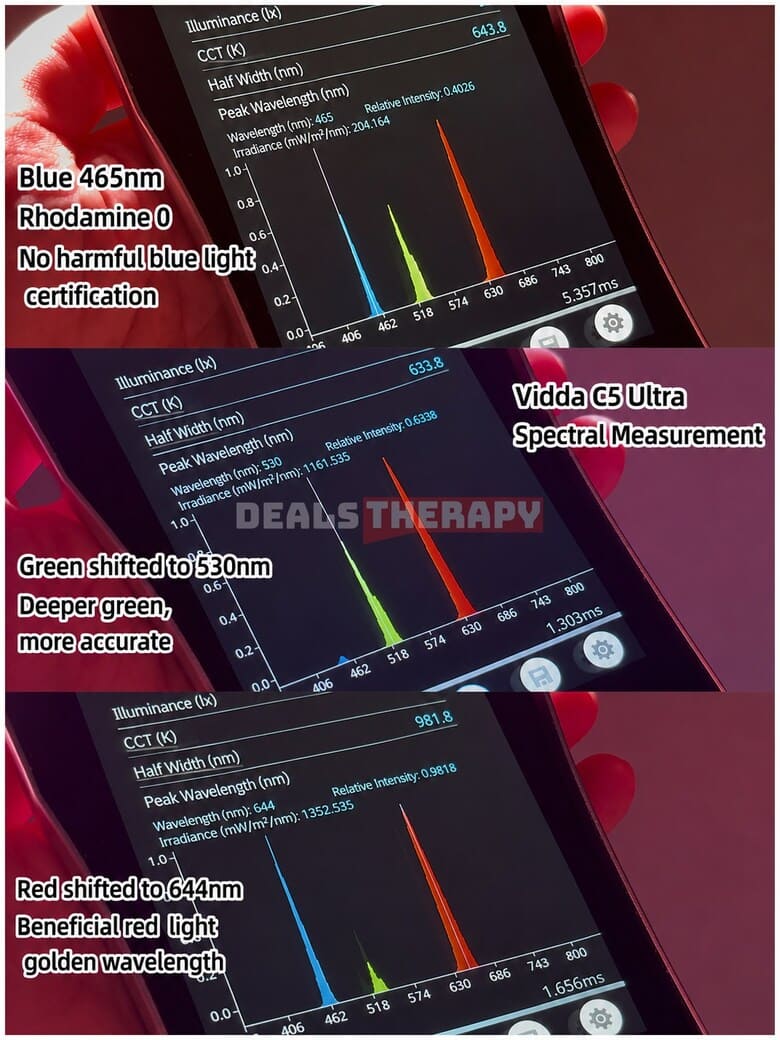
To see how this translates into real-world performance, let’s take a look at the projector’s color reproduction.
In Vivid Mode, grass and alpine vegetation appear deep, rich, and vibrant, while maintaining excellent brightness. Importantly, the image still preserves the fine details and layers within the vegetation instead of simply increasing color saturation and losing texture.
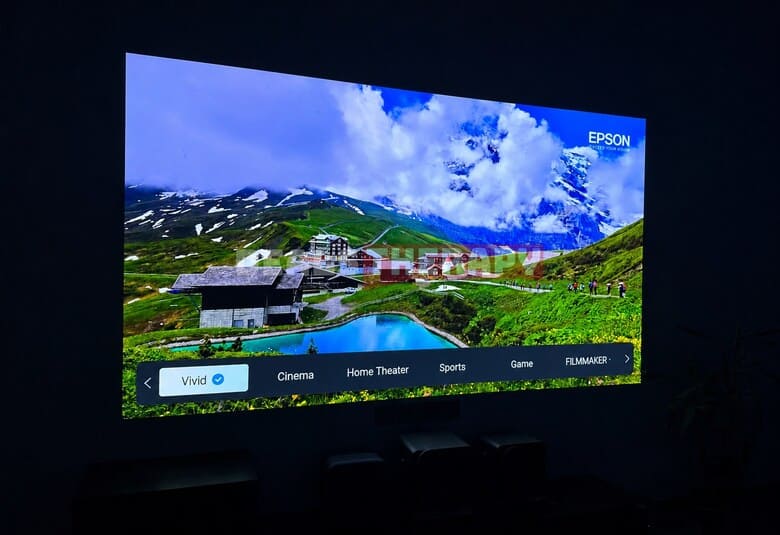
This mode is particularly well suited to scenes where visual impact is more important than absolute color accuracy, such as bright daytime viewing or landscape documentaries.
For more accurate and natural color reproduction, you can switch to FILM mode. Vidda claims that the projector can accurately map 110% of the BT.2020 ultra-wide color gamut. Combined with the Green Field AI Original Color Imaging System, this allows the projector to reproduce the original DCI-P3 colors of source content with greater accuracy.
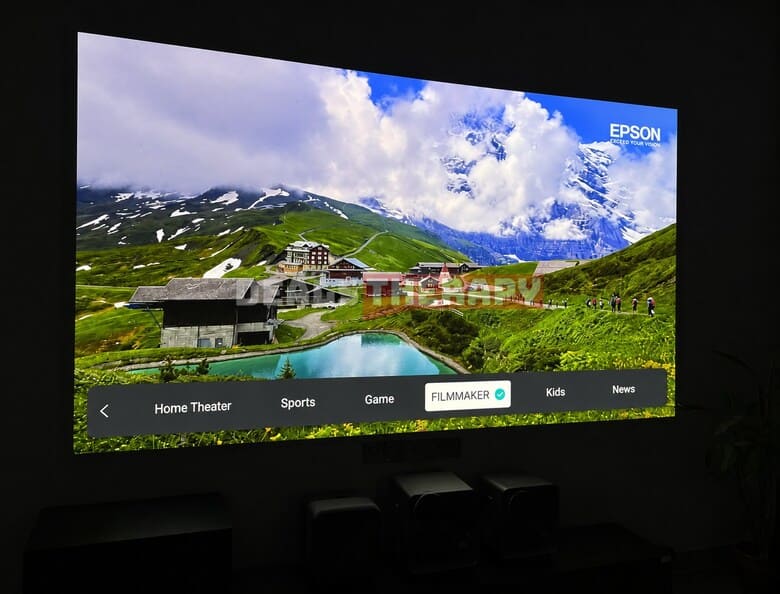
The resulting image looks smooth and natural without becoming overly saturated or tiring to watch over long periods.
This is ultimately one of the strengths of a well-rounded projector: it should be able to deliver vibrant, eye-catching images when you want them, while also providing accurate and natural colors when you’re watching movies. Having the flexibility to switch between these different presentation styles is a real advantage.
Skin Tone Comparison
Let’s take a closer look at skin tone reproduction.
The Hisense Vidda C5 Ultra’s “Qianshan” AI Computational Imaging Platform uses the DeepBlack “Hunter” algorithm to perform real-time HDR mapping. In the three professional modes – Professional, Home Theater, and FILM – skin tones appear natural and realistic, with a smooth and translucent look.
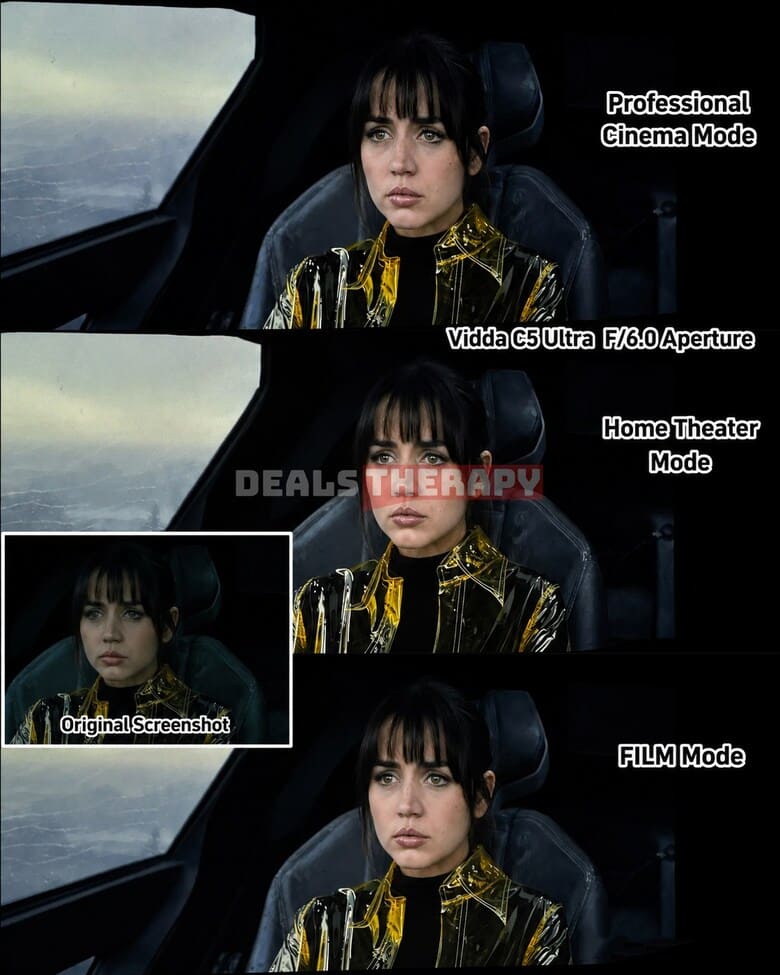
The projector avoids excessive sharpening and overly boosted saturation, while HDR highlights remain bright enough to provide a good sense of dynamic range. Overall, the image looks quite close to the original source material.
Keep in mind that the original image was darkened after being captured in a screenshot, so the full HDR effect cannot be completely reproduced in the comparison image. The images should therefore be treated as a visual reference rather than an exact representation of the projector’s HDR performance.
The Standard and Vivid modes take a different approach. These manufacturer-defined modes provide a stronger HDR presentation, with richer colors, higher brightness, and a more three-dimensional appearance.
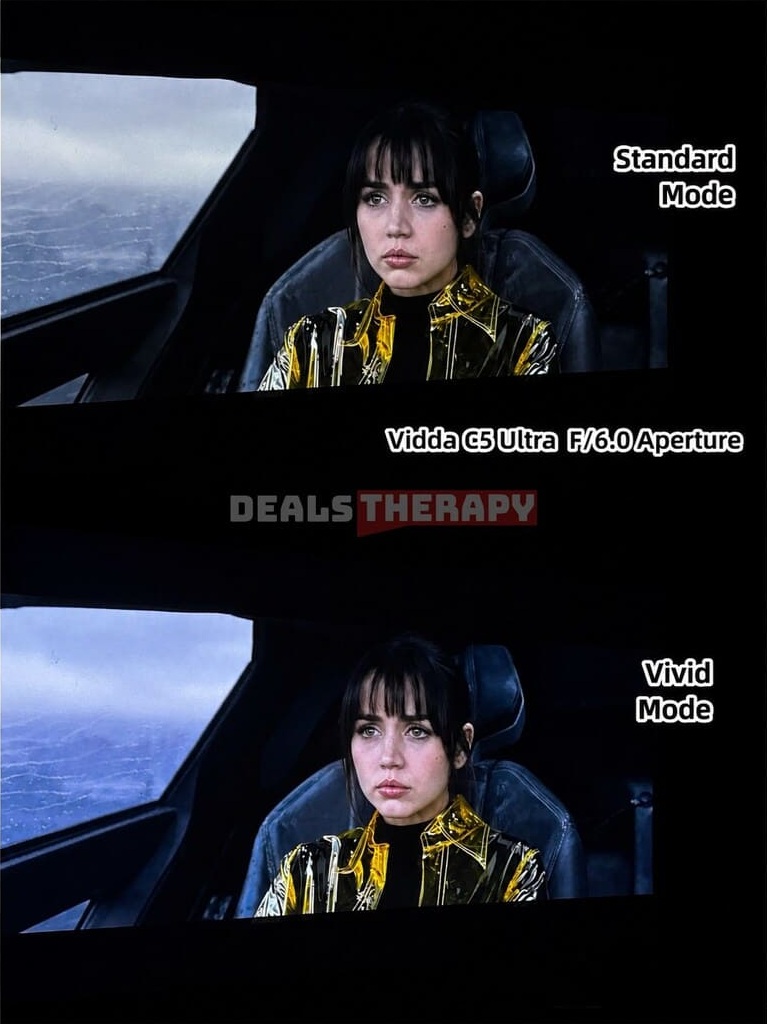
People appear more lifelike, while the overall image has greater depth and visual impact. Even without directly comparing it to the original source, the picture looks impressive and avoids the hazy appearance that can affect some projectors.
In the end, the best mode comes down to personal preference.
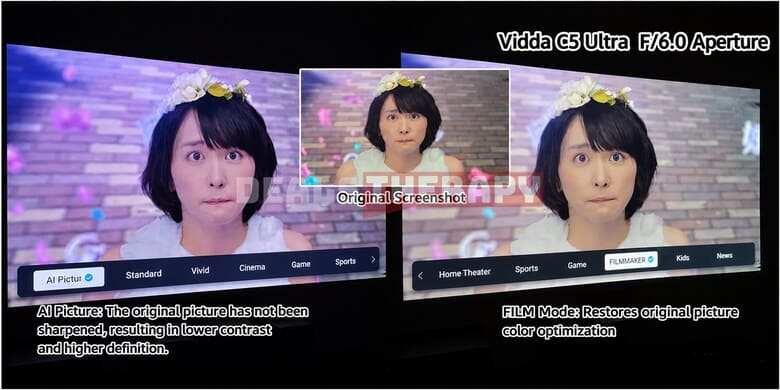
With AI-based color gamut calibration and algorithms trained on massive amounts of image data, AI-powered image processing is becoming increasingly sophisticated. As shown in the comparison, the AI image quality mode on the left produces a sharper, more three-dimensional picture, with clearly defined details – even in the characters’ hair
Switching to FILM mode, on the other hand, brings back the original cinematic style and a more natural presentation.
Being able to switch freely between these two approaches gives users more flexibility and makes the projector suitable for a wider range of content.
8. Large Throw Ratio and New Lossless Lens Shift
The Hisense Vidda C5 series also offers a more flexible installation experience thanks to its wide throw ratios and improved optical zoom.
The Hisense Vidda C5 Pro Max and C5 Ultra feature a 0.9–1.5:1 throw ratio with 1.67x optical zoom. This makes them suitable for both relatively close and more distant installations. For a 100-inch screen, the projector can be positioned anywhere within approximately 1.98–3.31 meters without sacrificing image quality.
The Hisense Vidda C5 Ultra Max and C5 Master go even further, offering a wider 0.85–1.7:1 throw ratio and 2x optical zoom. For a 100-inch screen, the recommended projection distance can range from approximately 1.88 to 3.75 meters, providing even greater flexibility without the image quality loss associated with digital zoom.
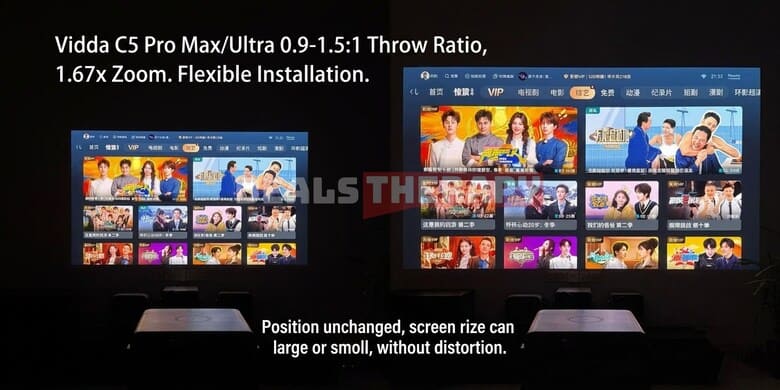
This flexibility is especially useful for different room layouts. You can achieve a large image even when the projector is positioned relatively close to the screen, while still maintaining lossless optical zoom when the projector needs to be placed farther away.
Throw ratio is an important factor to consider when choosing a projector. If the throw ratio is too low, the projector may not be able to fill the screen when installed at a greater distance. On the other hand, if it is too high, placing the projector too far away can reduce brightness and lead to blurry edges when using digital zoom.
For this reason, it’s always a good idea to determine your installation distance and desired screen size before purchasing a projector, then choose a model with a suitable throw ratio.
The Hisense Vidda C5 series also addresses one of the limitations of the previous Vidda C3 lineup by introducing improved lens shift for lossless side projection.
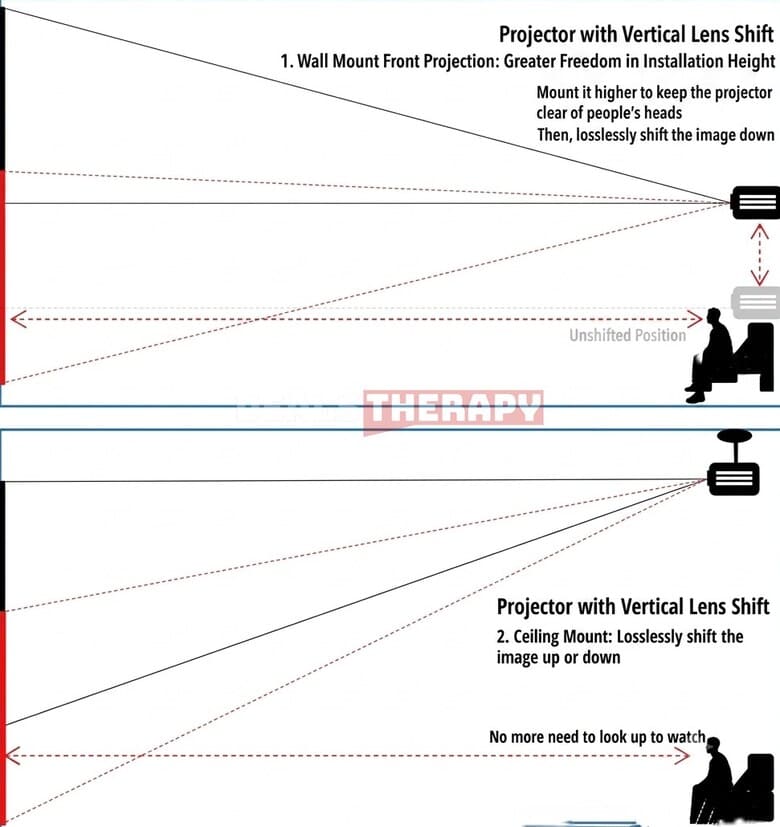
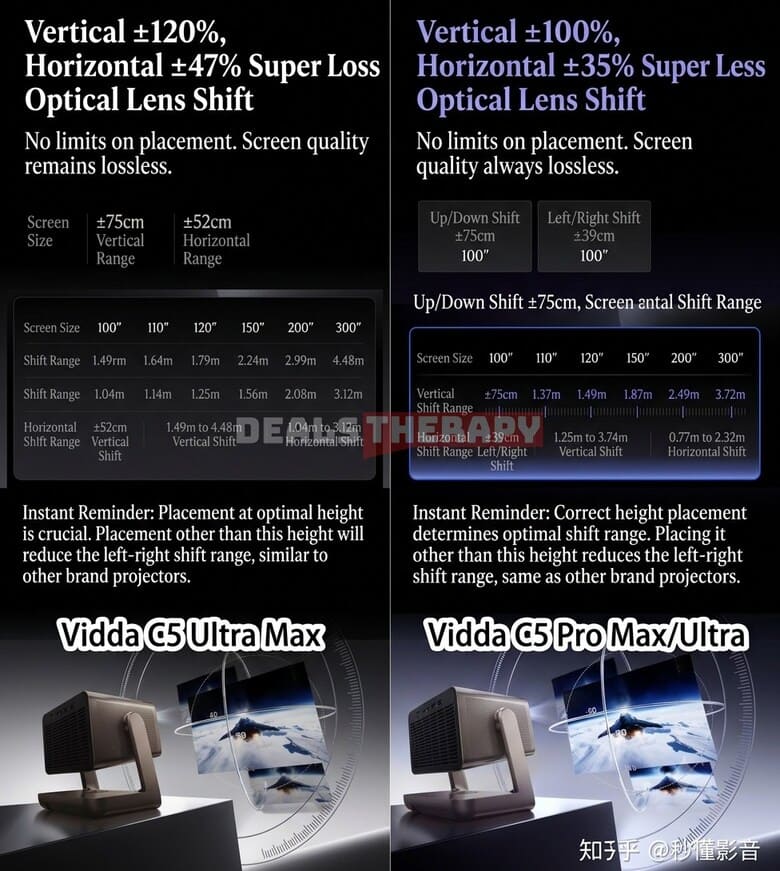
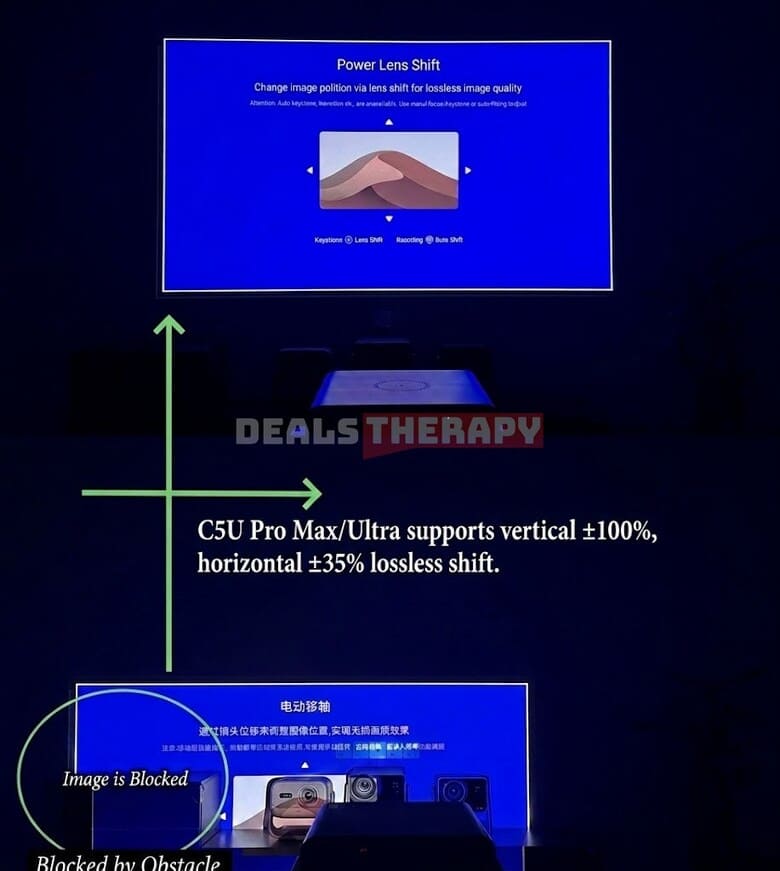
The Hisense Vidda C5 Pro Max and C5 Ultra support ±100% vertical and ±35% horizontal lens shift, while the Hisense Vidda C5 Ultra Max and C5 Master offer an even wider range of ±120% vertical and ±47% horizontal lens shift. Lossless side projection at certain angles is also supported.
Lens shift provides much greater flexibility when choosing the projector’s installation height and position. For example, raising the projector can help prevent direct light from shining into the viewer’s eyes.
Previously, if a ceiling-mounted projector produced an image that was positioned too high, keystone correction was often the only solution. However, excessive keystone correction can introduce unwanted shadows and reduce image quality. Lens shift helps solve this problem while maintaining the original image quality.
However, it’s important to remember that every projector has a physical limit to how far its lens can be shifted. The exact lens shift range of the Hisense ViddaC5 models can be seen in the image below.
9. Hisense Vidda C5 Lineup Comparison
Vidda C5 Ultra vs. C5 Ultra Max: Comparison Conclusion
After comparing the Hisense Vidda C5 Ultra and C5 Ultra Max, there are several key differences worth highlighting.
1. Contrast and aperture performance
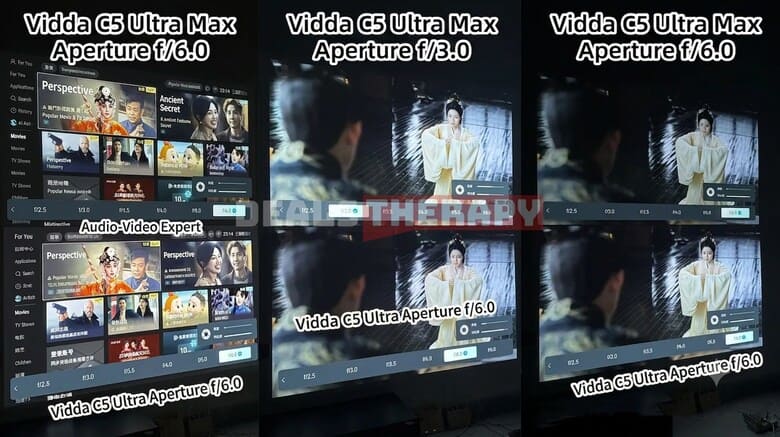
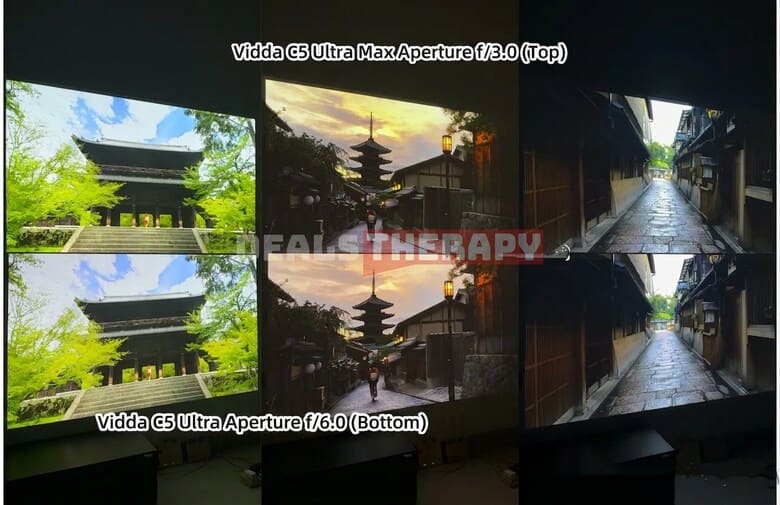
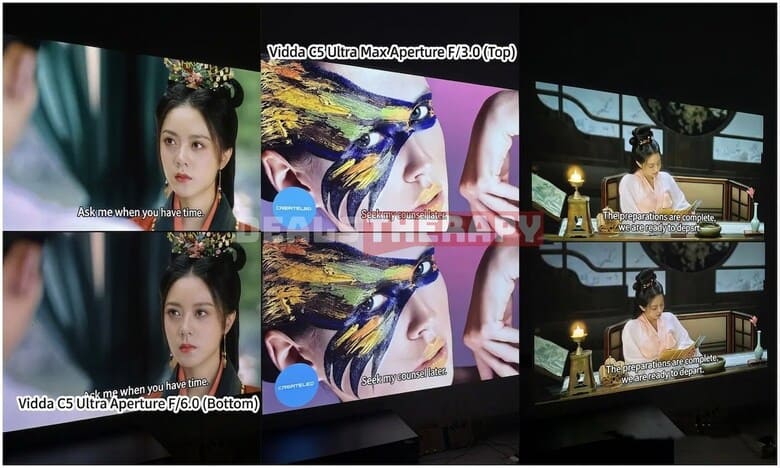
The Hisense Vidda C5 Ultra Max offers a slightly higher contrast ratio. Like the aperture systems used by many other projector brands, its brightness decreases more noticeably as the aperture becomes smaller, reaching its lowest brightness at F/6.0.
The Hisense Vidda C5 Ultra takes a different approach, with a more gradual reduction in brightness as the aperture is adjusted. If you prefer a darker, more cinematic image and don’t mind sacrificing some brightness to achieve deeper blacks and higher contrast, the Hisense Vidda C5 Ultra Max is the better choice.
The Hisense Vidda C5 Ultra, on the other hand, offers a more balanced combination of brightness and contrast, making it a more versatile option for different viewing environments.
2. Different aperture settings during testing
At an F/3.0 aperture, the Hisense Vidda C5 Ultra Max produces approximately the same brightness as the Hisense Vidda C5 Ultra at F/6.0. For this reason, we used different aperture settings during the comparison to prevent the images from becoming overexposed and to ensure a fairer visual comparison.
3. Skin tone reproduction
The two projectors also have slightly different approaches to skin tone reproduction. The Hisense Vidda C5 Ultra produces more vibrant and healthy-looking skin tones, while the Hisense Vidda C5 Ultra Max tends to deliver a brighter and fairer complexion.
Although the calibration styles are different, both projectors perform very well overall, and the final choice will largely come down to personal preference.
Hisense Vidda C5 Pro Max vs. C5 Ultra: Comparison Conclusion
1. Contrast and HDR performance
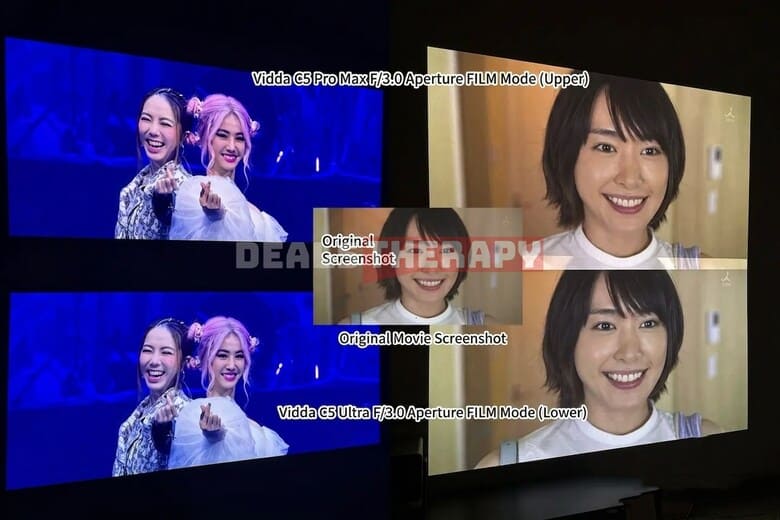
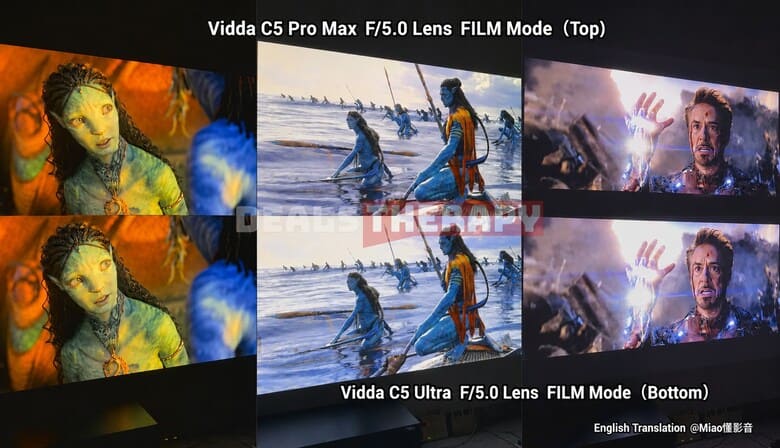
Both projectors deliver strong HDR mapping with high brightness while preserving details in both bright highlights and darker areas. In terms of overall image quality, the difference between the two is relatively small.
2. Skin tone reproduction
Both models perform very well when it comes to skin tones, although there are some subtle differences in color tuning. The Hisense Vidda C5 Pro Max has a slightly warmer and more yellowish presentation, while the Hisense Vidda C5 Ultra produces lighter, softer, and more natural-looking skin tones.
3. Overall image quality
The two projectors offer a similar core image quality. When deciding between them, it’s therefore worth paying more attention to other differences, such as brightness, RAM capacity, connectivity, and other hardware specifications.
10. System Performance
System and Connectivity
The entire Hisense Vidda C5 series is powered by MediaTek’s flagship MT9681 processor and runs on Android 14.0. The platform uses a quad-core A73 CPU with a clock speed of 1.8GHz.
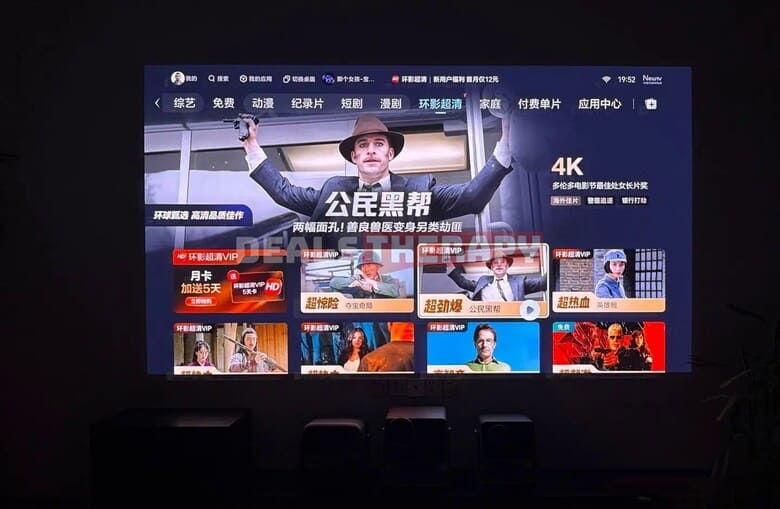
The processor is designed to provide smooth performance over many years of use, while the projectors also support Bluetooth 5.4, Wi-Fi 7, and Gigabit Ethernet.
The inclusion of a dedicated Gigabit Ethernet chip is particularly useful for home theater setups and NAS systems. Whether you connect your projector to your home network wirelessly or through a wired connection, the Hisense Vidda C5 series provides plenty of bandwidth for streaming and accessing local media.
The projectors also support VRR (Variable Refresh Rate) and ALLM (Auto Low Latency Mode), making them more suitable for gaming and other content where low input latency and smooth motion are important.
Is 3GB of RAM Enough for the Hisense Vidda C5 Pro Max?
One question many users may have is whether the 3GB of RAM in the Hisense Vidda C5 Pro Max is enough for everyday use.
In our testing, after installing three commonly used applications, approximately 0.9GB of RAM remained available. By comparison, the Hisense Vidda C5 Ultra had around 1.38GB of free RAM under similar conditions.
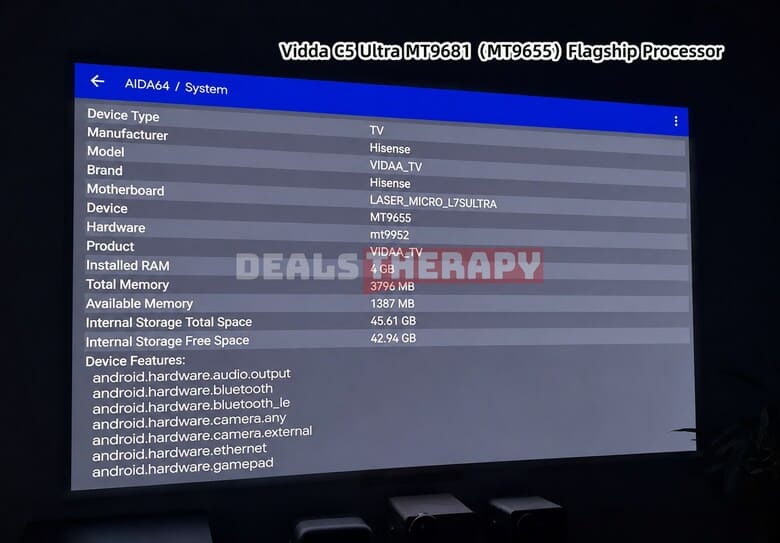
In practice, the number of installed applications doesn’t necessarily mean that they will constantly consume RAM. As long as apps aren’t configured to launch automatically when the projector starts and don’t continue running in the background after being closed, even installing around 10 apps shouldn’t have a major impact on everyday performance.
For normal use, the Hisense Vidda C5 Pro Max should therefore remain smooth and responsive. Of course, having a 4GB RAM option would provide additional headroom and greater flexibility for users who want to install more apps or keep multiple services running.
4K User Interface
Another interesting feature is the industry’s first 4K user interface. Compared with a standard 1080p interface, the 4K UI offers a significant improvement in sharpness and clarity, making menus, text, and other interface elements look much more detailed.
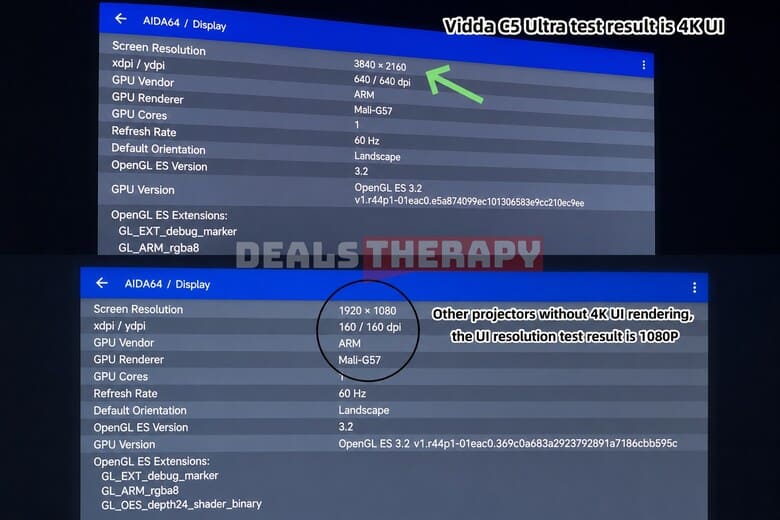
According to Vidda, other 4K projectors and even some 4K TVs may still display their user interface at 1080p resolution, making the Hisense Vidda C5 series stand out in this area.
AI Desktop and Media Management
The Hisense Vidda C5 series uses a familiar waterfall-style interface while also introducing an upgraded AI desktop.
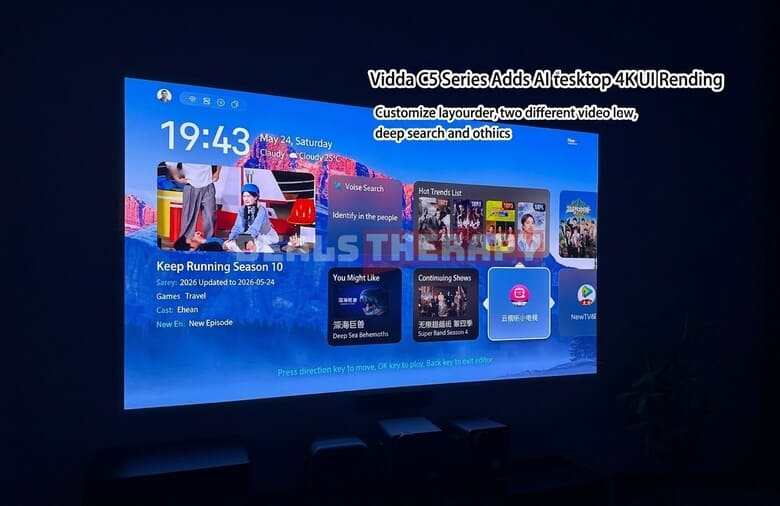
The AI desktop allows users to customize the layout and place their most frequently used applications and services in more convenient positions. It also supports poster-wall scraping for local media libraries.
Local video files can be imported directly, while users can also connect to a NAS on the local network or access content through supported cloud storage services.
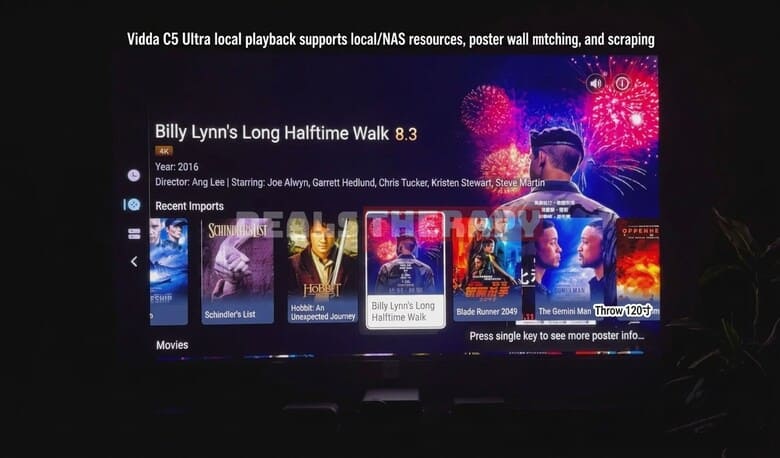
Once the media sources are integrated, the system can automatically organize the content into a movie poster wall, making it much easier to browse and find movies.
The poster-matching system is generally reliable, although there is still some room for improvement. In our experience, around 10% of movies were correctly identified by title but failed to load the appropriate cover image.
11. Audio Performance and Independent Subwoofer
The innovative independent subwoofer dock introduced with the previous Vidda C3 Ultra received a lot of positive feedback. With the new Vidda C5 generation, the Hisense Vidda C5 Pro Max and higher-end models come standard with a 2.1-channel, three-way speaker system that supports Dolby Audio and has received Hi-Res Audio Gold certification.
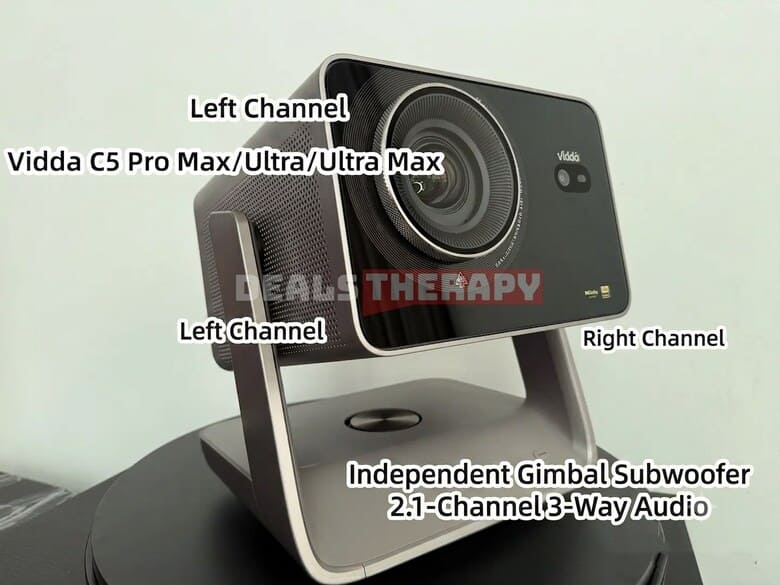
The Hisense Vidda C5 Ultra Max and Vidda C5 Master also feature JBL co-branded speakers, further enhancing their audio capabilities.
The built-in audio system delivers surprisingly strong bass performance. For everyday home use, you may not need to add a separate soundbar, external speakers, or subwoofer. The sound quality is more than capable of handling bass-heavy music and movie soundtracks.
Looking for a comparison with XGIMI? Check out our RS30 Ultra vs Vidda C5 Ultra comparison.
12. Summary and Purchase Recommendations
The Hisense Vidda C5 series introduces several important upgrades over the previous Vidda C3 generation, including a variable aperture system, lossless lens shift, a 4K user interface, and a 2.1-channel audio system with an independent subwoofer.
Together, these improvements bring upgrades in image quality, sound performance, contrast, and installation flexibility. At the same time, the lineup has a clear product hierarchy, with each model targeting a slightly different type of user.
Hisense Vidda C5 Pro Max
The Hisense Vidda C5 Pro Max offers excellent value for money. It combines strong vocal performance, a wide throw ratio, accurate HDR mapping, and impressive skin tone reproduction.
Its built-in sound system is also a strong point, offering better audio performance than many competing projectors in the same price category. The 3GB of RAM and 64GB of storage provide plenty of space for apps and media.
Choose the C5 Pro Max if you’re looking for the best balance between price, performance, and features.
Hisense Vidda C5 Ultra
The Hisense Vidda C5 Ultra is the most well-rounded option in the lineup. With 4GB of RAM and Wi-Fi 7, it offers additional hardware headroom, while its gradual brightness reduction when adjusting the aperture provides a comfortable balance between brightness and contrast.
It also delivers accurate color reproduction and a highly enjoyable viewing experience. The integrated audio system is another highlight, outperforming many competing projectors in the same class.
Choose the C5 Ultra if you want a high-quality home theater projector with excellent image performance, more memory, and a strong overall feature set.
Hisense Vidda C5 Ultra Max
The Hisense Vidda C5 Ultra Max is designed for users who want higher-end image performance and greater installation flexibility.
Its third-generation SST DMD technology delivers deeper blacks and higher native contrast, while the 2x optical zoom and extensive lens-shift range make it much easier to install in different room layouts.
The JBL co-branded speaker system is another advantage, while the projector’s high native contrast makes it particularly attractive for users who prioritize cinematic image quality.
Choose the C5 Ultra Max if you want the best image performance in the lineup, stronger contrast, and maximum flexibility when installing your projector.
Final Recommendation
In short, the Hisense Vidda C5 Pro Max is the best choice for buyers who want to get the most value for their money. The Hisense Vidda C5 Ultra is an excellent all-rounder for a high-quality home theater setup, especially if you want more RAM and a comfortable balance between brightness and contrast. And if you’re looking for top-level image performance, deeper blacks, and the most flexible installation options, the Hisense Vidda C5 Ultra Max is the model to consider.
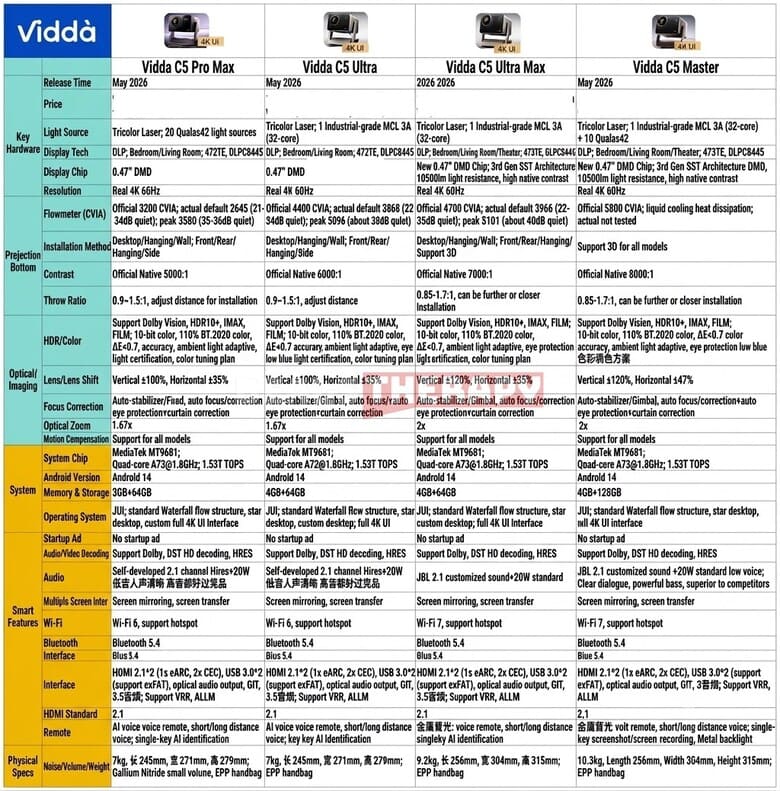
The complete specifications and parameter comparison table are provided below.
Want to see these projectors in action?
Watch our full YouTube review for side-by-side image comparisons:

Founder, CEO, Editor-in-Chief. I have been creating technology related websites and platforms since 2011. My main project right now is Deals Therapy. I want to help people save money, time and effort when buying electric bicycles, electric scooters, projectors, smartphones, robot vacuum cleaners and other products. I am fanatical about what I do because I believe I am doing a useful and necessary thing.